6 Top BCI Headsets for Developers Reviewed
Duong Tran
Updated on
Nov 27, 2025
6 Top BCI Headsets for Developers Reviewed
Duong Tran
Updated on
Nov 27, 2025
6 Top BCI Headsets for Developers Reviewed
Duong Tran
Updated on
Nov 27, 2025
A spec sheet only tells you part of the story. While channel count and battery life are important, the true value of a BCI headset for developers lies in its software ecosystem and overall user experience. A device with a powerful, well-documented SDK, a supportive community, and a straightforward setup process will save you countless hours of frustration. It allows you to spend your time building your application, not troubleshooting your tools. In this guide, we’ll look beyond the marketing claims to explore what really makes a BCI platform effective for development, ensuring you choose a headset that enhances your creativity and streamlines your workflow.
Key Takeaways
Prioritize the developer tools, not just the device: Your development speed and success depend heavily on the quality of the SDK and API. Choose a headset that offers clear documentation, accessible data, and strong support to avoid unnecessary friction in your project.
Match the channel count to your application’s needs: More channels isn’t always better. Determine if your project requires high spatial resolution or simpler cognitive state data, and select a device that provides the right level of detail without overcomplicating your work or budget.
Design for neurophysiological variability from the start: Every person’s brain signals are unique and can change based on factors like fatigue or mood. Build adaptive algorithms and user-friendly calibration processes to ensure your application is robust and reliable for different users in different situations.
What Makes a Great BCI Headset for Developers?
Choosing the right BCI headset is the first critical step in bringing your project to life. It’s not just about the hardware; it’s about the entire ecosystem that supports your development process. From the quality of the brain signal data to the software tools you’ll use to build your application, every element plays a vital role. Think of it as picking a creative partner—you need one that speaks your language, fits your budget, and doesn’t create unnecessary friction. To help you find the perfect match, I’ve broken down the five key factors every developer should consider before committing to a device.
Evaluate Channel Count and Signal Quality
The number of channels, or sensors, on a headset determines its spatial resolution—basically, how precisely it can identify the origin of brain signals. A higher channel count can provide more detailed data, which is crucial for complex applications. However, more isn’t always better. The quality of the signal from each channel is just as important. Your brain’s activity is incredibly dynamic, so you need a device that can capture clean, reliable data. A headset with fewer channels but excellent signal quality might be more effective for your project than a high-channel device with noisy data. It’s about finding the right balance of detail and dependability for your specific application.
Look for Robust SDK and API Support
A Software Development Kit (SDK) is your toolkit for building BCI applications. It’s the bridge that connects the headset’s hardware to your code. A great BCI headset comes with a well-documented and robust SDK that simplifies development. It should provide clear access to raw EEG data, performance metrics, and pre-built algorithms for interpreting signals. Our developer tools, for example, are designed to give you a head start. Without solid SDK and API support, you could spend more time figuring out how to get data from the device than actually building your innovative application. A strong software foundation is non-negotiable for a smooth workflow.
Check Integration and Language Compatibility
Your BCI headset needs to fit into your existing workflow. Before you buy, check if the SDK is compatible with your preferred programming languages, like Python or JavaScript, and development environments, such as popular game engines. The more versatile the SDK, the more creative freedom you’ll have. Some platforms offer tools that can help bridge compatibility gaps, allowing you to use your favorite language even if it’s not natively supported. This flexibility is key to a smooth development process and ensures you can use the tools you’re already an expert in. Don’t underestimate the friction that comes from being forced into an unfamiliar environment.
Align the Price with Your Budget
BCI headsets come in a wide range of prices, from a few hundred to several thousand dollars. As a developer, it’s essential to find a device that offers the features you need without breaking the bank. An entry-level device might be perfect for learning the ropes or building a simple prototype. For more advanced commercial or research projects, investing in a professional-grade headset with more channels and higher data quality is often necessary. Define your project’s core requirements first, then find a headset that meets them within your budget. This strategic approach ensures you get the best value for your specific goals.
Prioritize a Simple Setup and User Experience
For BCI technology to become more widespread, it needs to be accessible and easy to use. This starts with the developer experience. A headset with a complicated, time-consuming setup process can quickly kill your motivation. Look for devices that are user-friendly, with a straightforward onboarding process and intuitive software. A simple setup not only saves you time and frustration but also makes it easier to test your application with others. Ultimately, a great user experience for you as the developer often translates into a better experience for your end-users. A device that’s a pleasure to work with is one you’ll keep coming back to.
Our Top BCI Headset Picks for Developers
Emotiv Epoc X - 14 Channel EEG Headset
The Emotiv Epoc X is a fantastic choice for developers who need high-resolution data in a wireless package. With 14 channels, this headset provides extensive brain coverage, making it suitable for professional-grade research and advanced BCI development. It’s designed to detect a wide range of data, including performance metrics, facial expressions, and mental commands. For developers, the real power comes from its compatibility with our software. You can use it with EmotivPRO for data analysis and recording or access raw EEG data directly with our EmotivBCI software. This flexibility makes the Epoc X a versatile tool for building complex and responsive applications that tap into a rich stream of brain data.
Emotiv Flex Saline - 32 Channel EEG Headset
When your research demands the highest density of data, the Emotiv Flex is the answer. This 32-channel headset is designed for maximum flexibility, allowing you to customize the sensor placement to fit the specific needs of your study. This is ideal for researchers who need to focus on particular brain regions or conform to a standard layout like the 10-20 system. The saline-based sensors are easy to set up, offering a comfortable experience for longer recording sessions. For developers working on sophisticated academic research projects or highly specific BCI applications, the Flex provides the detailed, high-quality raw data needed to explore the brain’s complexities with precision and control.
Emotiv Insight - 5 Channel EEG Headset
If you’re looking for a more accessible entry point into the world of BCI, the Emotiv Insight is a great place to start. This sleek, 5-channel wireless headset is designed for everyday use and is incredibly user-friendly. It’s perfect for developers who want to build applications for cognitive wellness or create simpler BCI experiences without the complexity of a high-channel-count device. The Insight can measure key performance metrics and basic mental commands, providing enough data to create engaging and interactive applications. Its straightforward setup and comfortable design make it an excellent tool for introducing users to brain-computer interface technology or for developers who need a reliable, easy-to-use headset for their projects.
Emotiv MN8 - 2 Channel EEG Earbuds
For developers focused on creating mobile and real-world applications, the Emotiv MN8 offers a unique and practical solution. These EEG earbuds are designed for discretion and convenience, allowing users to gather brain data without wearing a traditional headset. The 2-channel setup is ideal for applications that require foundational cognitive state information, such as focus or relaxation levels. Because they are so portable and unobtrusive, the MN8 earbuds are perfect for building apps that can be used in daily life—at work, at home, or on the go. They represent a significant step in making BCI technology a seamless part of our everyday routines.
NeuroSky MindWave Mobile 2
The NeuroSky MindWave Mobile 2 is a popular and affordable option for developers and hobbyists just beginning their journey with BCI. This single-channel headset is known for its simplicity and ease of use, making it a very accessible tool for learning the fundamentals of EEG. It connects wirelessly to a wide range of devices and comes with a suite of free software and developer tools to get you started. While it doesn’t offer the high-density data of multi-channel devices, it provides reliable measurement of attention and relaxation states. It’s a solid choice for educational purposes or for building simple BCI applications and games.
InteraXon Muse S
The InteraXon Muse S is a multi-sensor headset specifically geared toward developers in the wellness and meditation space. It’s designed as a comfortable headband that can be worn during the day or even overnight. The device provides real-time feedback on brain activity, heart rate, and body movement, making it a comprehensive tool for creating applications focused on mindfulness and relaxation. For developers, InteraXon provides an SDK that allows you to work with the data stream and build custom experiences. If your project is centered around cognitive wellness tools or guided meditation, the Muse S offers a focused and well-supported platform to build upon.
How Do BCI Headset Prices Compare?
Finding the right BCI headset often comes down to balancing your project’s needs with your budget. Prices can range from a couple of hundred dollars to several thousand, and this cost typically reflects the device’s channel count, data quality, and the robustness of its software ecosystem. Whether you’re just starting to explore brain-computer interfaces or you’re conducting advanced research, there’s likely a device that fits your financial plan.
Think of the pricing tiers as a guide. Entry-level devices are great for learning the basics and building simple applications. Mid-range headsets offer more channels and better data for serious development and research. At the high end, you’ll find research-grade equipment designed for complex experiments that demand the highest data fidelity and customization. Let’s break down what you can expect in each price range.
Entry-Level Options ($200-$500)
If you’re just getting your feet wet with BCI development, you don’t need to spend a fortune. Headsets in this price range are perfect for learning fundamental concepts and building proof-of-concept projects. For example, the NeuroSky MindWave Mobile 2 is a very affordable single-channel device that gives you a straightforward entry point into EEG data.
Other devices in this category, like those from InteraXon, are designed to measure frontal lobe activity and often come with good developer tools, including an SDK. While these headsets make BCI more accessible, their limited channel count means they are best suited for simpler applications rather than complex research. They provide a solid foundation before you move on to more advanced developer tools.
Mid-Range Professional Headsets ($500-$1,200)
This is the sweet spot for many developers, startups, and researchers who need reliable data without the cost of high-end lab equipment. In this range, you’ll find multi-channel headsets that offer a great balance of performance and price. Our Emotiv Insight (5-channel) and Epoc X (14-channel) headsets fit squarely in this category. They are designed for professional R&D and allow you to start working with BCI applications right away with our free software.
For developers who need to work directly with raw data, a subscription to EmotivPRO unlocks deeper analysis capabilities. Another option in this tier is the Crown from Neurosity, which is built specifically for developers and includes its own computer chip to process data on the device itself.
Advanced Research-Grade Devices ($1,200+)
When your work demands the highest precision and channel density, you’ll want to look at research-grade devices. These systems are built for complex scientific studies, clinical research, and advanced BCI development. They often feature a high channel count and allow for more customization in sensor placement, giving you the flexibility to design experiments tailored to your specific research questions.
Our Emotiv Flex Saline headset is a great example, offering 32 channels that can be placed anywhere on the scalp to capture high-density brain activity. While these devices represent a more significant investment, they provide the detailed, high-quality data necessary for pushing the boundaries of academic research and developing sophisticated BCI applications.
What Developer Tools Come with Each Headset?
A BCI headset is more than just hardware; it’s an entry point into a developer ecosystem. The real magic happens when you can easily access and work with the brain data the headset collects. That’s why the quality of the developer tools—the Software Development Kits (SDKs), Application Programming Interfaces (APIs), and documentation—is so important. A powerful headset with a clunky or poorly supported SDK can stop a project in its tracks.
When you’re evaluating a headset, you’re also choosing a development platform. You need a platform that provides clean data access, robust libraries, and clear examples to get you started. Whether you’re building a simple neurofeedback app or a complex brain-computer interface, the right tools will make your development process smoother and more creative. A great developer experience includes not just the official software but also the community and support surrounding it. Let’s look at the tools that come with some of the top BCI headsets.
Emotiv SDK and EmotivPRO Platform
We designed our developer tools to be both powerful and accessible. When you work with an Emotiv headset, you get access to our comprehensive Emotiv SDK, which allows you to build applications with real-time brain data. Every headset purchase also includes a license for EmotivPRO Lite, our data acquisition software, so you can view and record EEG data right out of the box.
Our ecosystem is built to support a wide range of projects. You can access raw EEG data, performance metrics like focus and stress, and mental commands for direct control applications. We provide extensive documentation and code examples to help you get started quickly. For those who need even more analytical power, the full version of EmotivPRO offers advanced data analysis and visualization features for in-depth research.
NeuroSky Developer Tools and APIs
NeuroSky provides a range of developer tools designed to help you create applications using their EEG data. Their ecosystem includes SDKs for various platforms, including mobile and desktop, which many developers find useful for building consumer-facing apps. These tools are often accompanied by open-source options, giving you flexibility in how you approach your project.
The focus of their developer kits is often on making it straightforward to integrate their proprietary eSense Meters, which are algorithms that interpret brainwave patterns into single values like “Attention” and “Meditation.” This approach can simplify the development process for specific types of applications, as it abstracts some of the complexity of raw EEG data analysis.
Muse SDK and Third-Party Libraries
InteraXon’s Muse headsets also come with a set of tools for developers. They offer an SDK that provides access to raw EEG data, accelerometer data, and data quality indicators. This allows you to build applications that respond to a user’s mental state in real time. One of the key aspects of their ecosystem is the support for third-party libraries and applications.
This compatibility makes it possible to integrate Muse data with popular tools like Lab Streaming Layer (LSL), which is widely used in academic research for synchronizing data streams. The availability of these third-party integrations gives developers more pathways for creating custom applications, from scientific experiments to interactive art installations.
Community Documentation and Support
Official tools are only part of the story. A thriving developer community is an invaluable resource for troubleshooting, sharing ideas, and finding inspiration. When you hit a roadblock, chances are someone else has faced the same issue. Forums, community-contributed code repositories, and tutorials can save you hours of frustration.
This collective knowledge is essential for pushing the boundaries of what’s possible with BCI technology. As you choose a headset, take a look at the community surrounding it. An active and supportive community indicates a healthy ecosystem and a platform that is likely to grow and evolve. We encourage you to explore our own developer resources and see what others are building.
What Common BCI Development Challenges Can You Expect?
Building with BCI technology is an exciting frontier, but like any innovative work, it comes with a unique set of challenges. Getting ahead of these potential hurdles can save you a lot of time and frustration down the road. Think of it less as a roadblock and more as part of the creative problem-solving process. From wrangling raw brain data to making your application user-friendly, here are a few common challenges you can expect to encounter as you start your BCI development project. Understanding these from the outset will help you choose the right tools and set realistic goals for what you want to build.
Processing Signals and Interpreting Data
Your first major task is getting clean, high-quality neural signals. Brain signals are incredibly subtle and can easily be drowned out by “noise.” This interference can come from simple muscle movements like blinking or clenching your jaw, or even from nearby electronic devices. Filtering out this noise to isolate the actual brain activity is a critical step. If you start with messy data, your application won’t be able to interpret the user’s intent accurately. Using software like EmotivPRO can help you visualize and clean up your data, ensuring you’re building your app on a solid foundation of reliable signals.
Handling User Training and Calibration
BCI systems aren’t one-size-fits-all. Because every person’s brain is unique, most applications require a training and calibration phase. During this process, the system learns to recognize the specific brain patterns a user generates when they think of a certain command, like “push” or “lift.” Your challenge as a developer is to make this training process as quick, intuitive, and painless as possible for the end-user. A clunky or lengthy calibration can be a major barrier to adoption. Tools like our EmotivBCI are designed to streamline this process, making it easier to create profiles and train mental commands.
Solving Hardware and Compatibility Issues
Even with the best software, you can run into hardware hurdles. For non-invasive headsets, this often means ensuring the sensors have a good, stable connection to the scalp, which can be tricky with different head shapes and hair types. Comfort is also key, especially if you expect people to use your application for extended periods. On the software side, you’ll need to ensure the headset’s data can be smoothly integrated with your chosen programming language or platform. This is where a well-documented and flexible SDK for developers becomes essential, allowing you to connect the hardware to your project with minimal friction.
Accounting for Neurophysiological Variability
One of the most complex challenges in BCI development is that brain signals are constantly changing. Not only do brain patterns for the same thought vary significantly from person to person, but an individual’s own signals can fluctuate based on their mood, level of fatigue, or even what they had for lunch. This neurophysiological variability means an application that works perfectly one moment might struggle the next. As a developer, you need to build adaptive algorithms that can account for these natural shifts. This is a core challenge in the field of brain-computer interfaces, and solving it is key to creating robust and reliable applications.
What Can You Build with a BCI Headset?
Once you get your hands on a BCI headset and its developer kit, the possibilities can feel endless. From practical applications to groundbreaking entertainment, a direct link to brain activity opens up entirely new ways for users to interact with technology. If you’re looking for inspiration, here are some of the most exciting areas where developers are making an impact with BCI.
Immersive Gaming and Entertainment
The gaming industry is on the cusp of a major shift, with BCIs offering a new frontier for player interaction. Imagine a horror game that gets scarier when it senses your fear, or a puzzle game where your level of focus helps you solve challenges faster. While the state of BCI gaming shows that developers have faced challenges in the past, the technology is now mature enough to create truly adaptive experiences. You can build games that respond to a player’s emotional state, attention levels, or even facial expressions, creating a level of immersion that traditional controllers simply can’t match.
Neurofeedback and Cognitive Training Apps
BCIs are becoming popular consumer devices for personal development. You can create applications that provide users with real-time feedback on their brain activity, helping them practice mindfulness, focus, or relaxation techniques. These neurofeedback applications can guide users through training exercises, visualizing their cognitive states to help them understand and regulate them. This area is perfect for developers interested in creating tools that give users access to cognitive wellness exercises and help them build better mental habits through direct, personalized feedback.
Assistive Technology and Accessibility Tools
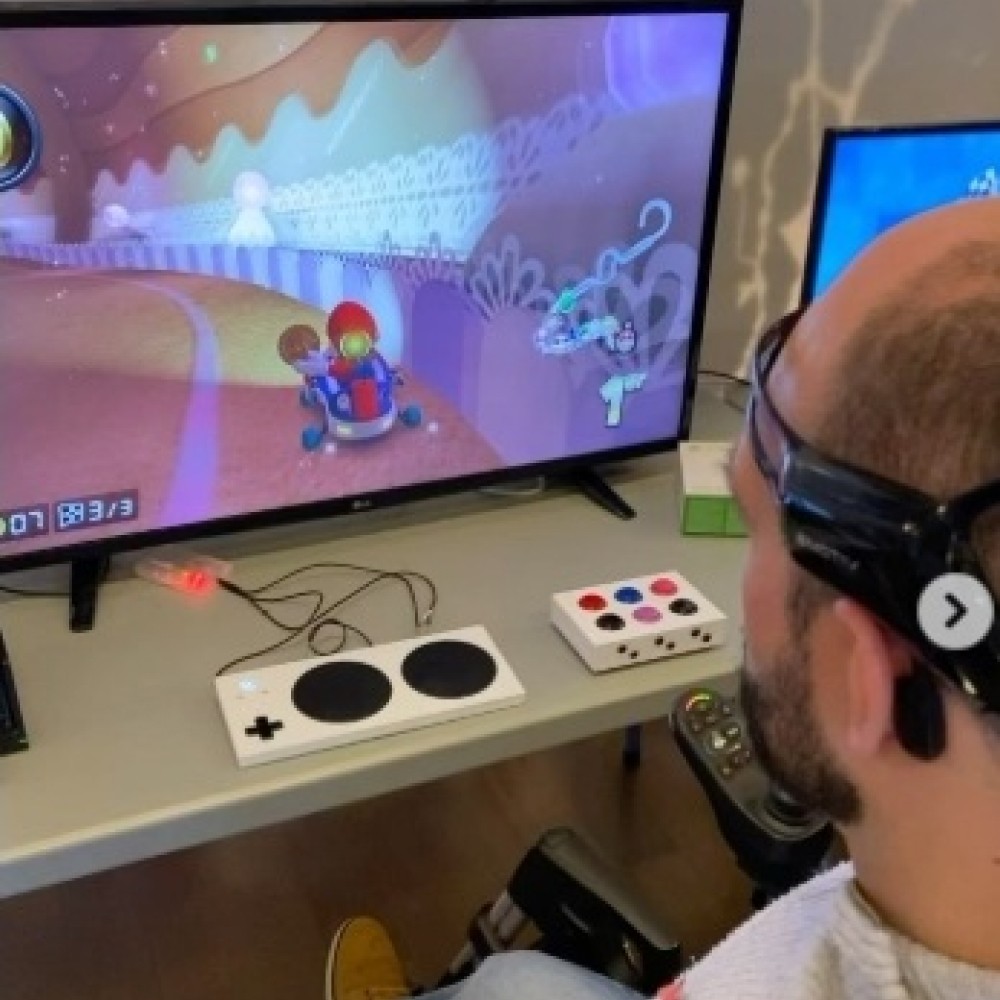
For developers passionate about making a real-world difference, BCI offers incredible opportunities in assistive technology. You can build applications that give individuals with severe motor disabilities new ways to communicate and interact with their environment. Think of software that allows someone to type on a screen, control a smart home device, or operate a wheelchair using their brain signals. These BCI technologies can dramatically enhance independence and quality of life, providing a powerful sense of agency to those who have lost it.
Innovative Research and Educational Platforms
The field of neuroscience is constantly evolving, and developers can play a key role in pushing it forward. You can create platforms that help researchers conduct complex experiments outside of a traditional lab setting. For educators, you could design interactive learning tools that adapt to a student’s engagement and cognitive load, creating a more personalized and effective educational experience. While making BCI systems efficient presents challenges and opportunities, building tools for this space allows you to contribute to the fundamental understanding of the human brain.
Emotion-Aware User Experiences
Imagine an application that knows how you feel and adapts accordingly. With BCI, you can build emotion-aware systems that create more empathetic and responsive user experiences. A music app could curate a playlist that matches your mood, or an online learning platform could offer a break if it detects you’re feeling frustrated or overwhelmed. By tapping into emotional and cognitive states, you can design interfaces and experiences that feel more intuitive and human. These non-invasive BCIs are key to developing the next generation of user-centric applications.
How to Choose the Right BCI Headset for Your Project
Picking the right BCI headset for your project feels a lot like choosing a creative partner. You need a tool that not only has the technical specs you need but also fits your workflow, budget, and future ambitions. With so many options out there, it’s easy to get overwhelmed. But don’t worry—I’m here to help you break it down. The best headset for you is the one that empowers you to bring your vision to life, whether you’re building an assistive technology app, conducting groundbreaking academic research, or designing an interactive art installation.
Instead of just looking at a list of features, it’s more helpful to think about what you want to achieve. Are you trying to capture subtle emotional responses for a neuromarketing study or do you need to control a drone with distinct mental commands? The answer will guide your choice. To make the decision easier, I’ve found it helps to focus on four key areas: the number of channels your application requires, the quality of the developer tools, your budget, and your long-term goals. Thinking through these points will help you find a headset that’s not just a piece of hardware, but a true extension of your development environment. It’s about finding a seamless fit that lets your creativity and technical skills shine, rather than getting bogged down by hardware limitations.
Match the Channel Count to Your Application’s Needs
The number of channels on an EEG headset refers to the number of sensors that make contact with the scalp. Think of it like pixels in an image—more channels give you a higher-resolution picture of brain activity. For a project that requires high spatial accuracy, like mapping the brain’s response to specific stimuli, a device with more channels, like our 32-channel Flex headset, is ideal. However, not every project needs that level of detail. If you’re developing a simple neurofeedback application to measure overall focus or relaxation, a headset with fewer channels, like the 5-channel Insight, is often more than enough. The key is to match the hardware’s capability to your project’s complexity.
Assess the SDK Quality and Developer Support
A BCI headset is only as powerful as the software that comes with it. A robust Software Development Kit (SDK) is your best friend—it’s what allows you to access and interpret the brain data your headset collects. Before you commit to a device, look into its SDK. Is the documentation clear and comprehensive? Are there code samples to help you get started? An active developer community or dedicated support team can also be a lifesaver when you run into an unexpected snag. Our developer tools are designed to get you up and running quickly, with access to raw EEG data and performance metrics so you can focus on building your application, not on deciphering the hardware.
Balance Your Budget with Essential Features
Let’s be practical: budget matters. BCI headsets come in a wide range of prices, and it’s important to find one that fits your financial reality. While it can be tempting to go for the cheapest option, it’s crucial to make sure it has the essential features your project requires. A low-cost device that lacks a reliable SDK or has poor signal quality can end up costing you more in wasted time and frustration. I recommend making a list of your non-negotiable features first. This will help you find a headset that provides the best value and ensures you have the right tools to do your work effectively without overspending.
Plan for Your Long-Term Development Goals
When you’re deep in the code of your current project, it can be hard to think about the future, but it’s a step that can save you a lot of hassle later. Think about where your project might go. Could your prototype evolve into a commercial product? Might your initial study expand into a multi-year research project? Choosing a versatile and scalable headset from the start, like the 14-channel Epoc X, means you won’t have to switch hardware and rewrite your code down the line. A device that can grow with your ambitions is a smart investment in your long-term success as a developer or researcher.
Related Articles
Frequently Asked Questions
Do I need a background in neuroscience to start building BCI applications? Not at all. While understanding the brain is fascinating, you don’t need to be a neuroscientist to get started. Our software development kits are designed to do a lot of the heavy lifting for you. They provide access not only to the raw EEG data but also to pre-processed performance metrics and mental command detections. This allows you to focus on what you do best—building a great user experience for your application—while the software handles the complex data interpretation.
How much setup is required before I can start collecting brain data? Getting up and running is more straightforward than you might think. For our saline-based headsets, the main step is ensuring the sensors are properly hydrated to get a good connection. Our software includes a contact quality map that gives you real-time visual feedback, so you can see right away if any sensors need a quick adjustment. For our dry sensor devices, it’s even simpler. The goal is to get you from unboxing to collecting clean data as quickly as possible so you can dive into your project.
What’s the real difference between a few channels and many channels for a developer? Think of it in terms of the data’s detail and purpose. A headset with fewer channels, like our 5-channel Insight, is excellent for applications that rely on overall cognitive states, such as an app that responds to your general focus or stress levels. A headset with more channels, like the 14-channel Epoc X, gives you higher spatial resolution. This means you can get a better idea of where brain activity is originating, which is crucial for more complex applications, advanced research, or training multiple, distinct mental commands.
Can I build a commercial application using an Emotiv headset and SDK? Yes, absolutely. We designed our entire ecosystem to support developers from the initial idea all the way to a market-ready product. Our licenses and developer tools are structured to scale with your project’s needs. Whether you’re an independent developer building your first BCI app or a startup creating a new commercial experience, you have a clear pathway to bring your product to users.
Besides raw brainwaves, what other types of data can I work with? While you always have access to the raw EEG data for deep analysis, our software also provides several other data streams that are often more immediately useful for application development. You can work with our performance metrics, which give you real-time information on states like focus, stress, and relaxation. You can also use our patented detection libraries to incorporate facial expressions and mental commands—like push, pull, or rotate—directly into your application for more intuitive and powerful control.
A spec sheet only tells you part of the story. While channel count and battery life are important, the true value of a BCI headset for developers lies in its software ecosystem and overall user experience. A device with a powerful, well-documented SDK, a supportive community, and a straightforward setup process will save you countless hours of frustration. It allows you to spend your time building your application, not troubleshooting your tools. In this guide, we’ll look beyond the marketing claims to explore what really makes a BCI platform effective for development, ensuring you choose a headset that enhances your creativity and streamlines your workflow.
Key Takeaways
Prioritize the developer tools, not just the device: Your development speed and success depend heavily on the quality of the SDK and API. Choose a headset that offers clear documentation, accessible data, and strong support to avoid unnecessary friction in your project.
Match the channel count to your application’s needs: More channels isn’t always better. Determine if your project requires high spatial resolution or simpler cognitive state data, and select a device that provides the right level of detail without overcomplicating your work or budget.
Design for neurophysiological variability from the start: Every person’s brain signals are unique and can change based on factors like fatigue or mood. Build adaptive algorithms and user-friendly calibration processes to ensure your application is robust and reliable for different users in different situations.
What Makes a Great BCI Headset for Developers?
Choosing the right BCI headset is the first critical step in bringing your project to life. It’s not just about the hardware; it’s about the entire ecosystem that supports your development process. From the quality of the brain signal data to the software tools you’ll use to build your application, every element plays a vital role. Think of it as picking a creative partner—you need one that speaks your language, fits your budget, and doesn’t create unnecessary friction. To help you find the perfect match, I’ve broken down the five key factors every developer should consider before committing to a device.
Evaluate Channel Count and Signal Quality
The number of channels, or sensors, on a headset determines its spatial resolution—basically, how precisely it can identify the origin of brain signals. A higher channel count can provide more detailed data, which is crucial for complex applications. However, more isn’t always better. The quality of the signal from each channel is just as important. Your brain’s activity is incredibly dynamic, so you need a device that can capture clean, reliable data. A headset with fewer channels but excellent signal quality might be more effective for your project than a high-channel device with noisy data. It’s about finding the right balance of detail and dependability for your specific application.
Look for Robust SDK and API Support
A Software Development Kit (SDK) is your toolkit for building BCI applications. It’s the bridge that connects the headset’s hardware to your code. A great BCI headset comes with a well-documented and robust SDK that simplifies development. It should provide clear access to raw EEG data, performance metrics, and pre-built algorithms for interpreting signals. Our developer tools, for example, are designed to give you a head start. Without solid SDK and API support, you could spend more time figuring out how to get data from the device than actually building your innovative application. A strong software foundation is non-negotiable for a smooth workflow.
Check Integration and Language Compatibility
Your BCI headset needs to fit into your existing workflow. Before you buy, check if the SDK is compatible with your preferred programming languages, like Python or JavaScript, and development environments, such as popular game engines. The more versatile the SDK, the more creative freedom you’ll have. Some platforms offer tools that can help bridge compatibility gaps, allowing you to use your favorite language even if it’s not natively supported. This flexibility is key to a smooth development process and ensures you can use the tools you’re already an expert in. Don’t underestimate the friction that comes from being forced into an unfamiliar environment.
Align the Price with Your Budget
BCI headsets come in a wide range of prices, from a few hundred to several thousand dollars. As a developer, it’s essential to find a device that offers the features you need without breaking the bank. An entry-level device might be perfect for learning the ropes or building a simple prototype. For more advanced commercial or research projects, investing in a professional-grade headset with more channels and higher data quality is often necessary. Define your project’s core requirements first, then find a headset that meets them within your budget. This strategic approach ensures you get the best value for your specific goals.
Prioritize a Simple Setup and User Experience
For BCI technology to become more widespread, it needs to be accessible and easy to use. This starts with the developer experience. A headset with a complicated, time-consuming setup process can quickly kill your motivation. Look for devices that are user-friendly, with a straightforward onboarding process and intuitive software. A simple setup not only saves you time and frustration but also makes it easier to test your application with others. Ultimately, a great user experience for you as the developer often translates into a better experience for your end-users. A device that’s a pleasure to work with is one you’ll keep coming back to.
Our Top BCI Headset Picks for Developers
Emotiv Epoc X - 14 Channel EEG Headset
The Emotiv Epoc X is a fantastic choice for developers who need high-resolution data in a wireless package. With 14 channels, this headset provides extensive brain coverage, making it suitable for professional-grade research and advanced BCI development. It’s designed to detect a wide range of data, including performance metrics, facial expressions, and mental commands. For developers, the real power comes from its compatibility with our software. You can use it with EmotivPRO for data analysis and recording or access raw EEG data directly with our EmotivBCI software. This flexibility makes the Epoc X a versatile tool for building complex and responsive applications that tap into a rich stream of brain data.
Emotiv Flex Saline - 32 Channel EEG Headset
When your research demands the highest density of data, the Emotiv Flex is the answer. This 32-channel headset is designed for maximum flexibility, allowing you to customize the sensor placement to fit the specific needs of your study. This is ideal for researchers who need to focus on particular brain regions or conform to a standard layout like the 10-20 system. The saline-based sensors are easy to set up, offering a comfortable experience for longer recording sessions. For developers working on sophisticated academic research projects or highly specific BCI applications, the Flex provides the detailed, high-quality raw data needed to explore the brain’s complexities with precision and control.
Emotiv Insight - 5 Channel EEG Headset
If you’re looking for a more accessible entry point into the world of BCI, the Emotiv Insight is a great place to start. This sleek, 5-channel wireless headset is designed for everyday use and is incredibly user-friendly. It’s perfect for developers who want to build applications for cognitive wellness or create simpler BCI experiences without the complexity of a high-channel-count device. The Insight can measure key performance metrics and basic mental commands, providing enough data to create engaging and interactive applications. Its straightforward setup and comfortable design make it an excellent tool for introducing users to brain-computer interface technology or for developers who need a reliable, easy-to-use headset for their projects.
Emotiv MN8 - 2 Channel EEG Earbuds
For developers focused on creating mobile and real-world applications, the Emotiv MN8 offers a unique and practical solution. These EEG earbuds are designed for discretion and convenience, allowing users to gather brain data without wearing a traditional headset. The 2-channel setup is ideal for applications that require foundational cognitive state information, such as focus or relaxation levels. Because they are so portable and unobtrusive, the MN8 earbuds are perfect for building apps that can be used in daily life—at work, at home, or on the go. They represent a significant step in making BCI technology a seamless part of our everyday routines.
NeuroSky MindWave Mobile 2
The NeuroSky MindWave Mobile 2 is a popular and affordable option for developers and hobbyists just beginning their journey with BCI. This single-channel headset is known for its simplicity and ease of use, making it a very accessible tool for learning the fundamentals of EEG. It connects wirelessly to a wide range of devices and comes with a suite of free software and developer tools to get you started. While it doesn’t offer the high-density data of multi-channel devices, it provides reliable measurement of attention and relaxation states. It’s a solid choice for educational purposes or for building simple BCI applications and games.
InteraXon Muse S
The InteraXon Muse S is a multi-sensor headset specifically geared toward developers in the wellness and meditation space. It’s designed as a comfortable headband that can be worn during the day or even overnight. The device provides real-time feedback on brain activity, heart rate, and body movement, making it a comprehensive tool for creating applications focused on mindfulness and relaxation. For developers, InteraXon provides an SDK that allows you to work with the data stream and build custom experiences. If your project is centered around cognitive wellness tools or guided meditation, the Muse S offers a focused and well-supported platform to build upon.
How Do BCI Headset Prices Compare?
Finding the right BCI headset often comes down to balancing your project’s needs with your budget. Prices can range from a couple of hundred dollars to several thousand, and this cost typically reflects the device’s channel count, data quality, and the robustness of its software ecosystem. Whether you’re just starting to explore brain-computer interfaces or you’re conducting advanced research, there’s likely a device that fits your financial plan.
Think of the pricing tiers as a guide. Entry-level devices are great for learning the basics and building simple applications. Mid-range headsets offer more channels and better data for serious development and research. At the high end, you’ll find research-grade equipment designed for complex experiments that demand the highest data fidelity and customization. Let’s break down what you can expect in each price range.
Entry-Level Options ($200-$500)
If you’re just getting your feet wet with BCI development, you don’t need to spend a fortune. Headsets in this price range are perfect for learning fundamental concepts and building proof-of-concept projects. For example, the NeuroSky MindWave Mobile 2 is a very affordable single-channel device that gives you a straightforward entry point into EEG data.
Other devices in this category, like those from InteraXon, are designed to measure frontal lobe activity and often come with good developer tools, including an SDK. While these headsets make BCI more accessible, their limited channel count means they are best suited for simpler applications rather than complex research. They provide a solid foundation before you move on to more advanced developer tools.
Mid-Range Professional Headsets ($500-$1,200)
This is the sweet spot for many developers, startups, and researchers who need reliable data without the cost of high-end lab equipment. In this range, you’ll find multi-channel headsets that offer a great balance of performance and price. Our Emotiv Insight (5-channel) and Epoc X (14-channel) headsets fit squarely in this category. They are designed for professional R&D and allow you to start working with BCI applications right away with our free software.
For developers who need to work directly with raw data, a subscription to EmotivPRO unlocks deeper analysis capabilities. Another option in this tier is the Crown from Neurosity, which is built specifically for developers and includes its own computer chip to process data on the device itself.
Advanced Research-Grade Devices ($1,200+)
When your work demands the highest precision and channel density, you’ll want to look at research-grade devices. These systems are built for complex scientific studies, clinical research, and advanced BCI development. They often feature a high channel count and allow for more customization in sensor placement, giving you the flexibility to design experiments tailored to your specific research questions.
Our Emotiv Flex Saline headset is a great example, offering 32 channels that can be placed anywhere on the scalp to capture high-density brain activity. While these devices represent a more significant investment, they provide the detailed, high-quality data necessary for pushing the boundaries of academic research and developing sophisticated BCI applications.
What Developer Tools Come with Each Headset?
A BCI headset is more than just hardware; it’s an entry point into a developer ecosystem. The real magic happens when you can easily access and work with the brain data the headset collects. That’s why the quality of the developer tools—the Software Development Kits (SDKs), Application Programming Interfaces (APIs), and documentation—is so important. A powerful headset with a clunky or poorly supported SDK can stop a project in its tracks.
When you’re evaluating a headset, you’re also choosing a development platform. You need a platform that provides clean data access, robust libraries, and clear examples to get you started. Whether you’re building a simple neurofeedback app or a complex brain-computer interface, the right tools will make your development process smoother and more creative. A great developer experience includes not just the official software but also the community and support surrounding it. Let’s look at the tools that come with some of the top BCI headsets.
Emotiv SDK and EmotivPRO Platform
We designed our developer tools to be both powerful and accessible. When you work with an Emotiv headset, you get access to our comprehensive Emotiv SDK, which allows you to build applications with real-time brain data. Every headset purchase also includes a license for EmotivPRO Lite, our data acquisition software, so you can view and record EEG data right out of the box.
Our ecosystem is built to support a wide range of projects. You can access raw EEG data, performance metrics like focus and stress, and mental commands for direct control applications. We provide extensive documentation and code examples to help you get started quickly. For those who need even more analytical power, the full version of EmotivPRO offers advanced data analysis and visualization features for in-depth research.
NeuroSky Developer Tools and APIs
NeuroSky provides a range of developer tools designed to help you create applications using their EEG data. Their ecosystem includes SDKs for various platforms, including mobile and desktop, which many developers find useful for building consumer-facing apps. These tools are often accompanied by open-source options, giving you flexibility in how you approach your project.
The focus of their developer kits is often on making it straightforward to integrate their proprietary eSense Meters, which are algorithms that interpret brainwave patterns into single values like “Attention” and “Meditation.” This approach can simplify the development process for specific types of applications, as it abstracts some of the complexity of raw EEG data analysis.
Muse SDK and Third-Party Libraries
InteraXon’s Muse headsets also come with a set of tools for developers. They offer an SDK that provides access to raw EEG data, accelerometer data, and data quality indicators. This allows you to build applications that respond to a user’s mental state in real time. One of the key aspects of their ecosystem is the support for third-party libraries and applications.
This compatibility makes it possible to integrate Muse data with popular tools like Lab Streaming Layer (LSL), which is widely used in academic research for synchronizing data streams. The availability of these third-party integrations gives developers more pathways for creating custom applications, from scientific experiments to interactive art installations.
Community Documentation and Support
Official tools are only part of the story. A thriving developer community is an invaluable resource for troubleshooting, sharing ideas, and finding inspiration. When you hit a roadblock, chances are someone else has faced the same issue. Forums, community-contributed code repositories, and tutorials can save you hours of frustration.
This collective knowledge is essential for pushing the boundaries of what’s possible with BCI technology. As you choose a headset, take a look at the community surrounding it. An active and supportive community indicates a healthy ecosystem and a platform that is likely to grow and evolve. We encourage you to explore our own developer resources and see what others are building.
What Common BCI Development Challenges Can You Expect?
Building with BCI technology is an exciting frontier, but like any innovative work, it comes with a unique set of challenges. Getting ahead of these potential hurdles can save you a lot of time and frustration down the road. Think of it less as a roadblock and more as part of the creative problem-solving process. From wrangling raw brain data to making your application user-friendly, here are a few common challenges you can expect to encounter as you start your BCI development project. Understanding these from the outset will help you choose the right tools and set realistic goals for what you want to build.
Processing Signals and Interpreting Data
Your first major task is getting clean, high-quality neural signals. Brain signals are incredibly subtle and can easily be drowned out by “noise.” This interference can come from simple muscle movements like blinking or clenching your jaw, or even from nearby electronic devices. Filtering out this noise to isolate the actual brain activity is a critical step. If you start with messy data, your application won’t be able to interpret the user’s intent accurately. Using software like EmotivPRO can help you visualize and clean up your data, ensuring you’re building your app on a solid foundation of reliable signals.
Handling User Training and Calibration
BCI systems aren’t one-size-fits-all. Because every person’s brain is unique, most applications require a training and calibration phase. During this process, the system learns to recognize the specific brain patterns a user generates when they think of a certain command, like “push” or “lift.” Your challenge as a developer is to make this training process as quick, intuitive, and painless as possible for the end-user. A clunky or lengthy calibration can be a major barrier to adoption. Tools like our EmotivBCI are designed to streamline this process, making it easier to create profiles and train mental commands.
Solving Hardware and Compatibility Issues
Even with the best software, you can run into hardware hurdles. For non-invasive headsets, this often means ensuring the sensors have a good, stable connection to the scalp, which can be tricky with different head shapes and hair types. Comfort is also key, especially if you expect people to use your application for extended periods. On the software side, you’ll need to ensure the headset’s data can be smoothly integrated with your chosen programming language or platform. This is where a well-documented and flexible SDK for developers becomes essential, allowing you to connect the hardware to your project with minimal friction.
Accounting for Neurophysiological Variability
One of the most complex challenges in BCI development is that brain signals are constantly changing. Not only do brain patterns for the same thought vary significantly from person to person, but an individual’s own signals can fluctuate based on their mood, level of fatigue, or even what they had for lunch. This neurophysiological variability means an application that works perfectly one moment might struggle the next. As a developer, you need to build adaptive algorithms that can account for these natural shifts. This is a core challenge in the field of brain-computer interfaces, and solving it is key to creating robust and reliable applications.
What Can You Build with a BCI Headset?
Once you get your hands on a BCI headset and its developer kit, the possibilities can feel endless. From practical applications to groundbreaking entertainment, a direct link to brain activity opens up entirely new ways for users to interact with technology. If you’re looking for inspiration, here are some of the most exciting areas where developers are making an impact with BCI.
Immersive Gaming and Entertainment
The gaming industry is on the cusp of a major shift, with BCIs offering a new frontier for player interaction. Imagine a horror game that gets scarier when it senses your fear, or a puzzle game where your level of focus helps you solve challenges faster. While the state of BCI gaming shows that developers have faced challenges in the past, the technology is now mature enough to create truly adaptive experiences. You can build games that respond to a player’s emotional state, attention levels, or even facial expressions, creating a level of immersion that traditional controllers simply can’t match.
Neurofeedback and Cognitive Training Apps
BCIs are becoming popular consumer devices for personal development. You can create applications that provide users with real-time feedback on their brain activity, helping them practice mindfulness, focus, or relaxation techniques. These neurofeedback applications can guide users through training exercises, visualizing their cognitive states to help them understand and regulate them. This area is perfect for developers interested in creating tools that give users access to cognitive wellness exercises and help them build better mental habits through direct, personalized feedback.
Assistive Technology and Accessibility Tools
For developers passionate about making a real-world difference, BCI offers incredible opportunities in assistive technology. You can build applications that give individuals with severe motor disabilities new ways to communicate and interact with their environment. Think of software that allows someone to type on a screen, control a smart home device, or operate a wheelchair using their brain signals. These BCI technologies can dramatically enhance independence and quality of life, providing a powerful sense of agency to those who have lost it.
Innovative Research and Educational Platforms
The field of neuroscience is constantly evolving, and developers can play a key role in pushing it forward. You can create platforms that help researchers conduct complex experiments outside of a traditional lab setting. For educators, you could design interactive learning tools that adapt to a student’s engagement and cognitive load, creating a more personalized and effective educational experience. While making BCI systems efficient presents challenges and opportunities, building tools for this space allows you to contribute to the fundamental understanding of the human brain.
Emotion-Aware User Experiences
Imagine an application that knows how you feel and adapts accordingly. With BCI, you can build emotion-aware systems that create more empathetic and responsive user experiences. A music app could curate a playlist that matches your mood, or an online learning platform could offer a break if it detects you’re feeling frustrated or overwhelmed. By tapping into emotional and cognitive states, you can design interfaces and experiences that feel more intuitive and human. These non-invasive BCIs are key to developing the next generation of user-centric applications.
How to Choose the Right BCI Headset for Your Project
Picking the right BCI headset for your project feels a lot like choosing a creative partner. You need a tool that not only has the technical specs you need but also fits your workflow, budget, and future ambitions. With so many options out there, it’s easy to get overwhelmed. But don’t worry—I’m here to help you break it down. The best headset for you is the one that empowers you to bring your vision to life, whether you’re building an assistive technology app, conducting groundbreaking academic research, or designing an interactive art installation.
Instead of just looking at a list of features, it’s more helpful to think about what you want to achieve. Are you trying to capture subtle emotional responses for a neuromarketing study or do you need to control a drone with distinct mental commands? The answer will guide your choice. To make the decision easier, I’ve found it helps to focus on four key areas: the number of channels your application requires, the quality of the developer tools, your budget, and your long-term goals. Thinking through these points will help you find a headset that’s not just a piece of hardware, but a true extension of your development environment. It’s about finding a seamless fit that lets your creativity and technical skills shine, rather than getting bogged down by hardware limitations.
Match the Channel Count to Your Application’s Needs
The number of channels on an EEG headset refers to the number of sensors that make contact with the scalp. Think of it like pixels in an image—more channels give you a higher-resolution picture of brain activity. For a project that requires high spatial accuracy, like mapping the brain’s response to specific stimuli, a device with more channels, like our 32-channel Flex headset, is ideal. However, not every project needs that level of detail. If you’re developing a simple neurofeedback application to measure overall focus or relaxation, a headset with fewer channels, like the 5-channel Insight, is often more than enough. The key is to match the hardware’s capability to your project’s complexity.
Assess the SDK Quality and Developer Support
A BCI headset is only as powerful as the software that comes with it. A robust Software Development Kit (SDK) is your best friend—it’s what allows you to access and interpret the brain data your headset collects. Before you commit to a device, look into its SDK. Is the documentation clear and comprehensive? Are there code samples to help you get started? An active developer community or dedicated support team can also be a lifesaver when you run into an unexpected snag. Our developer tools are designed to get you up and running quickly, with access to raw EEG data and performance metrics so you can focus on building your application, not on deciphering the hardware.
Balance Your Budget with Essential Features
Let’s be practical: budget matters. BCI headsets come in a wide range of prices, and it’s important to find one that fits your financial reality. While it can be tempting to go for the cheapest option, it’s crucial to make sure it has the essential features your project requires. A low-cost device that lacks a reliable SDK or has poor signal quality can end up costing you more in wasted time and frustration. I recommend making a list of your non-negotiable features first. This will help you find a headset that provides the best value and ensures you have the right tools to do your work effectively without overspending.
Plan for Your Long-Term Development Goals
When you’re deep in the code of your current project, it can be hard to think about the future, but it’s a step that can save you a lot of hassle later. Think about where your project might go. Could your prototype evolve into a commercial product? Might your initial study expand into a multi-year research project? Choosing a versatile and scalable headset from the start, like the 14-channel Epoc X, means you won’t have to switch hardware and rewrite your code down the line. A device that can grow with your ambitions is a smart investment in your long-term success as a developer or researcher.
Related Articles
Frequently Asked Questions
Do I need a background in neuroscience to start building BCI applications? Not at all. While understanding the brain is fascinating, you don’t need to be a neuroscientist to get started. Our software development kits are designed to do a lot of the heavy lifting for you. They provide access not only to the raw EEG data but also to pre-processed performance metrics and mental command detections. This allows you to focus on what you do best—building a great user experience for your application—while the software handles the complex data interpretation.
How much setup is required before I can start collecting brain data? Getting up and running is more straightforward than you might think. For our saline-based headsets, the main step is ensuring the sensors are properly hydrated to get a good connection. Our software includes a contact quality map that gives you real-time visual feedback, so you can see right away if any sensors need a quick adjustment. For our dry sensor devices, it’s even simpler. The goal is to get you from unboxing to collecting clean data as quickly as possible so you can dive into your project.
What’s the real difference between a few channels and many channels for a developer? Think of it in terms of the data’s detail and purpose. A headset with fewer channels, like our 5-channel Insight, is excellent for applications that rely on overall cognitive states, such as an app that responds to your general focus or stress levels. A headset with more channels, like the 14-channel Epoc X, gives you higher spatial resolution. This means you can get a better idea of where brain activity is originating, which is crucial for more complex applications, advanced research, or training multiple, distinct mental commands.
Can I build a commercial application using an Emotiv headset and SDK? Yes, absolutely. We designed our entire ecosystem to support developers from the initial idea all the way to a market-ready product. Our licenses and developer tools are structured to scale with your project’s needs. Whether you’re an independent developer building your first BCI app or a startup creating a new commercial experience, you have a clear pathway to bring your product to users.
Besides raw brainwaves, what other types of data can I work with? While you always have access to the raw EEG data for deep analysis, our software also provides several other data streams that are often more immediately useful for application development. You can work with our performance metrics, which give you real-time information on states like focus, stress, and relaxation. You can also use our patented detection libraries to incorporate facial expressions and mental commands—like push, pull, or rotate—directly into your application for more intuitive and powerful control.
A spec sheet only tells you part of the story. While channel count and battery life are important, the true value of a BCI headset for developers lies in its software ecosystem and overall user experience. A device with a powerful, well-documented SDK, a supportive community, and a straightforward setup process will save you countless hours of frustration. It allows you to spend your time building your application, not troubleshooting your tools. In this guide, we’ll look beyond the marketing claims to explore what really makes a BCI platform effective for development, ensuring you choose a headset that enhances your creativity and streamlines your workflow.
Key Takeaways
Prioritize the developer tools, not just the device: Your development speed and success depend heavily on the quality of the SDK and API. Choose a headset that offers clear documentation, accessible data, and strong support to avoid unnecessary friction in your project.
Match the channel count to your application’s needs: More channels isn’t always better. Determine if your project requires high spatial resolution or simpler cognitive state data, and select a device that provides the right level of detail without overcomplicating your work or budget.
Design for neurophysiological variability from the start: Every person’s brain signals are unique and can change based on factors like fatigue or mood. Build adaptive algorithms and user-friendly calibration processes to ensure your application is robust and reliable for different users in different situations.
What Makes a Great BCI Headset for Developers?
Choosing the right BCI headset is the first critical step in bringing your project to life. It’s not just about the hardware; it’s about the entire ecosystem that supports your development process. From the quality of the brain signal data to the software tools you’ll use to build your application, every element plays a vital role. Think of it as picking a creative partner—you need one that speaks your language, fits your budget, and doesn’t create unnecessary friction. To help you find the perfect match, I’ve broken down the five key factors every developer should consider before committing to a device.
Evaluate Channel Count and Signal Quality
The number of channels, or sensors, on a headset determines its spatial resolution—basically, how precisely it can identify the origin of brain signals. A higher channel count can provide more detailed data, which is crucial for complex applications. However, more isn’t always better. The quality of the signal from each channel is just as important. Your brain’s activity is incredibly dynamic, so you need a device that can capture clean, reliable data. A headset with fewer channels but excellent signal quality might be more effective for your project than a high-channel device with noisy data. It’s about finding the right balance of detail and dependability for your specific application.
Look for Robust SDK and API Support
A Software Development Kit (SDK) is your toolkit for building BCI applications. It’s the bridge that connects the headset’s hardware to your code. A great BCI headset comes with a well-documented and robust SDK that simplifies development. It should provide clear access to raw EEG data, performance metrics, and pre-built algorithms for interpreting signals. Our developer tools, for example, are designed to give you a head start. Without solid SDK and API support, you could spend more time figuring out how to get data from the device than actually building your innovative application. A strong software foundation is non-negotiable for a smooth workflow.
Check Integration and Language Compatibility
Your BCI headset needs to fit into your existing workflow. Before you buy, check if the SDK is compatible with your preferred programming languages, like Python or JavaScript, and development environments, such as popular game engines. The more versatile the SDK, the more creative freedom you’ll have. Some platforms offer tools that can help bridge compatibility gaps, allowing you to use your favorite language even if it’s not natively supported. This flexibility is key to a smooth development process and ensures you can use the tools you’re already an expert in. Don’t underestimate the friction that comes from being forced into an unfamiliar environment.
Align the Price with Your Budget
BCI headsets come in a wide range of prices, from a few hundred to several thousand dollars. As a developer, it’s essential to find a device that offers the features you need without breaking the bank. An entry-level device might be perfect for learning the ropes or building a simple prototype. For more advanced commercial or research projects, investing in a professional-grade headset with more channels and higher data quality is often necessary. Define your project’s core requirements first, then find a headset that meets them within your budget. This strategic approach ensures you get the best value for your specific goals.
Prioritize a Simple Setup and User Experience
For BCI technology to become more widespread, it needs to be accessible and easy to use. This starts with the developer experience. A headset with a complicated, time-consuming setup process can quickly kill your motivation. Look for devices that are user-friendly, with a straightforward onboarding process and intuitive software. A simple setup not only saves you time and frustration but also makes it easier to test your application with others. Ultimately, a great user experience for you as the developer often translates into a better experience for your end-users. A device that’s a pleasure to work with is one you’ll keep coming back to.
Our Top BCI Headset Picks for Developers
Emotiv Epoc X - 14 Channel EEG Headset
The Emotiv Epoc X is a fantastic choice for developers who need high-resolution data in a wireless package. With 14 channels, this headset provides extensive brain coverage, making it suitable for professional-grade research and advanced BCI development. It’s designed to detect a wide range of data, including performance metrics, facial expressions, and mental commands. For developers, the real power comes from its compatibility with our software. You can use it with EmotivPRO for data analysis and recording or access raw EEG data directly with our EmotivBCI software. This flexibility makes the Epoc X a versatile tool for building complex and responsive applications that tap into a rich stream of brain data.
Emotiv Flex Saline - 32 Channel EEG Headset
When your research demands the highest density of data, the Emotiv Flex is the answer. This 32-channel headset is designed for maximum flexibility, allowing you to customize the sensor placement to fit the specific needs of your study. This is ideal for researchers who need to focus on particular brain regions or conform to a standard layout like the 10-20 system. The saline-based sensors are easy to set up, offering a comfortable experience for longer recording sessions. For developers working on sophisticated academic research projects or highly specific BCI applications, the Flex provides the detailed, high-quality raw data needed to explore the brain’s complexities with precision and control.
Emotiv Insight - 5 Channel EEG Headset
If you’re looking for a more accessible entry point into the world of BCI, the Emotiv Insight is a great place to start. This sleek, 5-channel wireless headset is designed for everyday use and is incredibly user-friendly. It’s perfect for developers who want to build applications for cognitive wellness or create simpler BCI experiences without the complexity of a high-channel-count device. The Insight can measure key performance metrics and basic mental commands, providing enough data to create engaging and interactive applications. Its straightforward setup and comfortable design make it an excellent tool for introducing users to brain-computer interface technology or for developers who need a reliable, easy-to-use headset for their projects.
Emotiv MN8 - 2 Channel EEG Earbuds
For developers focused on creating mobile and real-world applications, the Emotiv MN8 offers a unique and practical solution. These EEG earbuds are designed for discretion and convenience, allowing users to gather brain data without wearing a traditional headset. The 2-channel setup is ideal for applications that require foundational cognitive state information, such as focus or relaxation levels. Because they are so portable and unobtrusive, the MN8 earbuds are perfect for building apps that can be used in daily life—at work, at home, or on the go. They represent a significant step in making BCI technology a seamless part of our everyday routines.
NeuroSky MindWave Mobile 2
The NeuroSky MindWave Mobile 2 is a popular and affordable option for developers and hobbyists just beginning their journey with BCI. This single-channel headset is known for its simplicity and ease of use, making it a very accessible tool for learning the fundamentals of EEG. It connects wirelessly to a wide range of devices and comes with a suite of free software and developer tools to get you started. While it doesn’t offer the high-density data of multi-channel devices, it provides reliable measurement of attention and relaxation states. It’s a solid choice for educational purposes or for building simple BCI applications and games.
InteraXon Muse S
The InteraXon Muse S is a multi-sensor headset specifically geared toward developers in the wellness and meditation space. It’s designed as a comfortable headband that can be worn during the day or even overnight. The device provides real-time feedback on brain activity, heart rate, and body movement, making it a comprehensive tool for creating applications focused on mindfulness and relaxation. For developers, InteraXon provides an SDK that allows you to work with the data stream and build custom experiences. If your project is centered around cognitive wellness tools or guided meditation, the Muse S offers a focused and well-supported platform to build upon.
How Do BCI Headset Prices Compare?
Finding the right BCI headset often comes down to balancing your project’s needs with your budget. Prices can range from a couple of hundred dollars to several thousand, and this cost typically reflects the device’s channel count, data quality, and the robustness of its software ecosystem. Whether you’re just starting to explore brain-computer interfaces or you’re conducting advanced research, there’s likely a device that fits your financial plan.
Think of the pricing tiers as a guide. Entry-level devices are great for learning the basics and building simple applications. Mid-range headsets offer more channels and better data for serious development and research. At the high end, you’ll find research-grade equipment designed for complex experiments that demand the highest data fidelity and customization. Let’s break down what you can expect in each price range.
Entry-Level Options ($200-$500)
If you’re just getting your feet wet with BCI development, you don’t need to spend a fortune. Headsets in this price range are perfect for learning fundamental concepts and building proof-of-concept projects. For example, the NeuroSky MindWave Mobile 2 is a very affordable single-channel device that gives you a straightforward entry point into EEG data.
Other devices in this category, like those from InteraXon, are designed to measure frontal lobe activity and often come with good developer tools, including an SDK. While these headsets make BCI more accessible, their limited channel count means they are best suited for simpler applications rather than complex research. They provide a solid foundation before you move on to more advanced developer tools.
Mid-Range Professional Headsets ($500-$1,200)
This is the sweet spot for many developers, startups, and researchers who need reliable data without the cost of high-end lab equipment. In this range, you’ll find multi-channel headsets that offer a great balance of performance and price. Our Emotiv Insight (5-channel) and Epoc X (14-channel) headsets fit squarely in this category. They are designed for professional R&D and allow you to start working with BCI applications right away with our free software.
For developers who need to work directly with raw data, a subscription to EmotivPRO unlocks deeper analysis capabilities. Another option in this tier is the Crown from Neurosity, which is built specifically for developers and includes its own computer chip to process data on the device itself.
Advanced Research-Grade Devices ($1,200+)
When your work demands the highest precision and channel density, you’ll want to look at research-grade devices. These systems are built for complex scientific studies, clinical research, and advanced BCI development. They often feature a high channel count and allow for more customization in sensor placement, giving you the flexibility to design experiments tailored to your specific research questions.
Our Emotiv Flex Saline headset is a great example, offering 32 channels that can be placed anywhere on the scalp to capture high-density brain activity. While these devices represent a more significant investment, they provide the detailed, high-quality data necessary for pushing the boundaries of academic research and developing sophisticated BCI applications.
What Developer Tools Come with Each Headset?
A BCI headset is more than just hardware; it’s an entry point into a developer ecosystem. The real magic happens when you can easily access and work with the brain data the headset collects. That’s why the quality of the developer tools—the Software Development Kits (SDKs), Application Programming Interfaces (APIs), and documentation—is so important. A powerful headset with a clunky or poorly supported SDK can stop a project in its tracks.
When you’re evaluating a headset, you’re also choosing a development platform. You need a platform that provides clean data access, robust libraries, and clear examples to get you started. Whether you’re building a simple neurofeedback app or a complex brain-computer interface, the right tools will make your development process smoother and more creative. A great developer experience includes not just the official software but also the community and support surrounding it. Let’s look at the tools that come with some of the top BCI headsets.
Emotiv SDK and EmotivPRO Platform
We designed our developer tools to be both powerful and accessible. When you work with an Emotiv headset, you get access to our comprehensive Emotiv SDK, which allows you to build applications with real-time brain data. Every headset purchase also includes a license for EmotivPRO Lite, our data acquisition software, so you can view and record EEG data right out of the box.
Our ecosystem is built to support a wide range of projects. You can access raw EEG data, performance metrics like focus and stress, and mental commands for direct control applications. We provide extensive documentation and code examples to help you get started quickly. For those who need even more analytical power, the full version of EmotivPRO offers advanced data analysis and visualization features for in-depth research.
NeuroSky Developer Tools and APIs
NeuroSky provides a range of developer tools designed to help you create applications using their EEG data. Their ecosystem includes SDKs for various platforms, including mobile and desktop, which many developers find useful for building consumer-facing apps. These tools are often accompanied by open-source options, giving you flexibility in how you approach your project.
The focus of their developer kits is often on making it straightforward to integrate their proprietary eSense Meters, which are algorithms that interpret brainwave patterns into single values like “Attention” and “Meditation.” This approach can simplify the development process for specific types of applications, as it abstracts some of the complexity of raw EEG data analysis.
Muse SDK and Third-Party Libraries
InteraXon’s Muse headsets also come with a set of tools for developers. They offer an SDK that provides access to raw EEG data, accelerometer data, and data quality indicators. This allows you to build applications that respond to a user’s mental state in real time. One of the key aspects of their ecosystem is the support for third-party libraries and applications.
This compatibility makes it possible to integrate Muse data with popular tools like Lab Streaming Layer (LSL), which is widely used in academic research for synchronizing data streams. The availability of these third-party integrations gives developers more pathways for creating custom applications, from scientific experiments to interactive art installations.
Community Documentation and Support
Official tools are only part of the story. A thriving developer community is an invaluable resource for troubleshooting, sharing ideas, and finding inspiration. When you hit a roadblock, chances are someone else has faced the same issue. Forums, community-contributed code repositories, and tutorials can save you hours of frustration.
This collective knowledge is essential for pushing the boundaries of what’s possible with BCI technology. As you choose a headset, take a look at the community surrounding it. An active and supportive community indicates a healthy ecosystem and a platform that is likely to grow and evolve. We encourage you to explore our own developer resources and see what others are building.
What Common BCI Development Challenges Can You Expect?
Building with BCI technology is an exciting frontier, but like any innovative work, it comes with a unique set of challenges. Getting ahead of these potential hurdles can save you a lot of time and frustration down the road. Think of it less as a roadblock and more as part of the creative problem-solving process. From wrangling raw brain data to making your application user-friendly, here are a few common challenges you can expect to encounter as you start your BCI development project. Understanding these from the outset will help you choose the right tools and set realistic goals for what you want to build.
Processing Signals and Interpreting Data
Your first major task is getting clean, high-quality neural signals. Brain signals are incredibly subtle and can easily be drowned out by “noise.” This interference can come from simple muscle movements like blinking or clenching your jaw, or even from nearby electronic devices. Filtering out this noise to isolate the actual brain activity is a critical step. If you start with messy data, your application won’t be able to interpret the user’s intent accurately. Using software like EmotivPRO can help you visualize and clean up your data, ensuring you’re building your app on a solid foundation of reliable signals.
Handling User Training and Calibration
BCI systems aren’t one-size-fits-all. Because every person’s brain is unique, most applications require a training and calibration phase. During this process, the system learns to recognize the specific brain patterns a user generates when they think of a certain command, like “push” or “lift.” Your challenge as a developer is to make this training process as quick, intuitive, and painless as possible for the end-user. A clunky or lengthy calibration can be a major barrier to adoption. Tools like our EmotivBCI are designed to streamline this process, making it easier to create profiles and train mental commands.
Solving Hardware and Compatibility Issues
Even with the best software, you can run into hardware hurdles. For non-invasive headsets, this often means ensuring the sensors have a good, stable connection to the scalp, which can be tricky with different head shapes and hair types. Comfort is also key, especially if you expect people to use your application for extended periods. On the software side, you’ll need to ensure the headset’s data can be smoothly integrated with your chosen programming language or platform. This is where a well-documented and flexible SDK for developers becomes essential, allowing you to connect the hardware to your project with minimal friction.
Accounting for Neurophysiological Variability
One of the most complex challenges in BCI development is that brain signals are constantly changing. Not only do brain patterns for the same thought vary significantly from person to person, but an individual’s own signals can fluctuate based on their mood, level of fatigue, or even what they had for lunch. This neurophysiological variability means an application that works perfectly one moment might struggle the next. As a developer, you need to build adaptive algorithms that can account for these natural shifts. This is a core challenge in the field of brain-computer interfaces, and solving it is key to creating robust and reliable applications.
What Can You Build with a BCI Headset?
Once you get your hands on a BCI headset and its developer kit, the possibilities can feel endless. From practical applications to groundbreaking entertainment, a direct link to brain activity opens up entirely new ways for users to interact with technology. If you’re looking for inspiration, here are some of the most exciting areas where developers are making an impact with BCI.
Immersive Gaming and Entertainment
The gaming industry is on the cusp of a major shift, with BCIs offering a new frontier for player interaction. Imagine a horror game that gets scarier when it senses your fear, or a puzzle game where your level of focus helps you solve challenges faster. While the state of BCI gaming shows that developers have faced challenges in the past, the technology is now mature enough to create truly adaptive experiences. You can build games that respond to a player’s emotional state, attention levels, or even facial expressions, creating a level of immersion that traditional controllers simply can’t match.
Neurofeedback and Cognitive Training Apps
BCIs are becoming popular consumer devices for personal development. You can create applications that provide users with real-time feedback on their brain activity, helping them practice mindfulness, focus, or relaxation techniques. These neurofeedback applications can guide users through training exercises, visualizing their cognitive states to help them understand and regulate them. This area is perfect for developers interested in creating tools that give users access to cognitive wellness exercises and help them build better mental habits through direct, personalized feedback.
Assistive Technology and Accessibility Tools
For developers passionate about making a real-world difference, BCI offers incredible opportunities in assistive technology. You can build applications that give individuals with severe motor disabilities new ways to communicate and interact with their environment. Think of software that allows someone to type on a screen, control a smart home device, or operate a wheelchair using their brain signals. These BCI technologies can dramatically enhance independence and quality of life, providing a powerful sense of agency to those who have lost it.
Innovative Research and Educational Platforms
The field of neuroscience is constantly evolving, and developers can play a key role in pushing it forward. You can create platforms that help researchers conduct complex experiments outside of a traditional lab setting. For educators, you could design interactive learning tools that adapt to a student’s engagement and cognitive load, creating a more personalized and effective educational experience. While making BCI systems efficient presents challenges and opportunities, building tools for this space allows you to contribute to the fundamental understanding of the human brain.
Emotion-Aware User Experiences
Imagine an application that knows how you feel and adapts accordingly. With BCI, you can build emotion-aware systems that create more empathetic and responsive user experiences. A music app could curate a playlist that matches your mood, or an online learning platform could offer a break if it detects you’re feeling frustrated or overwhelmed. By tapping into emotional and cognitive states, you can design interfaces and experiences that feel more intuitive and human. These non-invasive BCIs are key to developing the next generation of user-centric applications.
How to Choose the Right BCI Headset for Your Project
Picking the right BCI headset for your project feels a lot like choosing a creative partner. You need a tool that not only has the technical specs you need but also fits your workflow, budget, and future ambitions. With so many options out there, it’s easy to get overwhelmed. But don’t worry—I’m here to help you break it down. The best headset for you is the one that empowers you to bring your vision to life, whether you’re building an assistive technology app, conducting groundbreaking academic research, or designing an interactive art installation.
Instead of just looking at a list of features, it’s more helpful to think about what you want to achieve. Are you trying to capture subtle emotional responses for a neuromarketing study or do you need to control a drone with distinct mental commands? The answer will guide your choice. To make the decision easier, I’ve found it helps to focus on four key areas: the number of channels your application requires, the quality of the developer tools, your budget, and your long-term goals. Thinking through these points will help you find a headset that’s not just a piece of hardware, but a true extension of your development environment. It’s about finding a seamless fit that lets your creativity and technical skills shine, rather than getting bogged down by hardware limitations.
Match the Channel Count to Your Application’s Needs
The number of channels on an EEG headset refers to the number of sensors that make contact with the scalp. Think of it like pixels in an image—more channels give you a higher-resolution picture of brain activity. For a project that requires high spatial accuracy, like mapping the brain’s response to specific stimuli, a device with more channels, like our 32-channel Flex headset, is ideal. However, not every project needs that level of detail. If you’re developing a simple neurofeedback application to measure overall focus or relaxation, a headset with fewer channels, like the 5-channel Insight, is often more than enough. The key is to match the hardware’s capability to your project’s complexity.
Assess the SDK Quality and Developer Support
A BCI headset is only as powerful as the software that comes with it. A robust Software Development Kit (SDK) is your best friend—it’s what allows you to access and interpret the brain data your headset collects. Before you commit to a device, look into its SDK. Is the documentation clear and comprehensive? Are there code samples to help you get started? An active developer community or dedicated support team can also be a lifesaver when you run into an unexpected snag. Our developer tools are designed to get you up and running quickly, with access to raw EEG data and performance metrics so you can focus on building your application, not on deciphering the hardware.
Balance Your Budget with Essential Features
Let’s be practical: budget matters. BCI headsets come in a wide range of prices, and it’s important to find one that fits your financial reality. While it can be tempting to go for the cheapest option, it’s crucial to make sure it has the essential features your project requires. A low-cost device that lacks a reliable SDK or has poor signal quality can end up costing you more in wasted time and frustration. I recommend making a list of your non-negotiable features first. This will help you find a headset that provides the best value and ensures you have the right tools to do your work effectively without overspending.
Plan for Your Long-Term Development Goals
When you’re deep in the code of your current project, it can be hard to think about the future, but it’s a step that can save you a lot of hassle later. Think about where your project might go. Could your prototype evolve into a commercial product? Might your initial study expand into a multi-year research project? Choosing a versatile and scalable headset from the start, like the 14-channel Epoc X, means you won’t have to switch hardware and rewrite your code down the line. A device that can grow with your ambitions is a smart investment in your long-term success as a developer or researcher.
Related Articles
Frequently Asked Questions
Do I need a background in neuroscience to start building BCI applications? Not at all. While understanding the brain is fascinating, you don’t need to be a neuroscientist to get started. Our software development kits are designed to do a lot of the heavy lifting for you. They provide access not only to the raw EEG data but also to pre-processed performance metrics and mental command detections. This allows you to focus on what you do best—building a great user experience for your application—while the software handles the complex data interpretation.
How much setup is required before I can start collecting brain data? Getting up and running is more straightforward than you might think. For our saline-based headsets, the main step is ensuring the sensors are properly hydrated to get a good connection. Our software includes a contact quality map that gives you real-time visual feedback, so you can see right away if any sensors need a quick adjustment. For our dry sensor devices, it’s even simpler. The goal is to get you from unboxing to collecting clean data as quickly as possible so you can dive into your project.
What’s the real difference between a few channels and many channels for a developer? Think of it in terms of the data’s detail and purpose. A headset with fewer channels, like our 5-channel Insight, is excellent for applications that rely on overall cognitive states, such as an app that responds to your general focus or stress levels. A headset with more channels, like the 14-channel Epoc X, gives you higher spatial resolution. This means you can get a better idea of where brain activity is originating, which is crucial for more complex applications, advanced research, or training multiple, distinct mental commands.
Can I build a commercial application using an Emotiv headset and SDK? Yes, absolutely. We designed our entire ecosystem to support developers from the initial idea all the way to a market-ready product. Our licenses and developer tools are structured to scale with your project’s needs. Whether you’re an independent developer building your first BCI app or a startup creating a new commercial experience, you have a clear pathway to bring your product to users.
Besides raw brainwaves, what other types of data can I work with? While you always have access to the raw EEG data for deep analysis, our software also provides several other data streams that are often more immediately useful for application development. You can work with our performance metrics, which give you real-time information on states like focus, stress, and relaxation. You can also use our patented detection libraries to incorporate facial expressions and mental commands—like push, pull, or rotate—directly into your application for more intuitive and powerful control.

Continue reading