9 Best Software for EEG Analysis (Free & Paid)
Duong Tran
Updated on
Nov 6, 2025
9 Best Software for EEG Analysis (Free & Paid)
Duong Tran
Updated on
Nov 6, 2025
9 Best Software for EEG Analysis (Free & Paid)
Duong Tran
Updated on
Nov 6, 2025
The Best Software for EEG Analysis: From Raw Signals to Real Insights
Raw EEG data is powerful, but it’s also complex and often messy. It’s filled with environmental noise and biological signals (like eye blinks) that can obscure the insights you’re looking for. The real work begins when you turn that raw stream into a clean, understandable story. This is where the right software becomes your most important tool—helping you process signals, remove artifacts, and visualize results.
The best software for EEG analysis doesn’t just collect data; it creates a clear path from raw signals to meaningful discoveries. This guide outlines essential features and reviews top platforms to help you transform complex brain data into actionable insights.
Key Takeaways
Define Your Project Needs First: Match the tool to your goals, technical comfort, and hardware ecosystem.
Focus on Core Data-Handling Features: Prioritize preprocessing, artifact removal, visualization, real-time analysis, and integrations.
Assess Support, Security, and Budget: Evaluate documentation quality, security practices, support options, and total cost of ownership.
What Makes Great EEG Analysis Software?
Choosing EEG analysis software depends on your use case—clinical research, brain-computer interface development, neuromarketing, or academic research. The best fit aligns capabilities with your goals, skill level, and device compatibility.
What Features Matter for Research?
Usable UI for exploratory analysis without heavy coding.
Rich visualization to spot patterns and issues quickly.
Established toolchains (e.g., EEGLAB) for deep analyses and reproducible workflows.
How Do Use Cases Differ?
Neuromarketing: Synchronize EEG with eye-tracking/facial coding to link attention with brain responses.
Clinical: Emphasize biomarkers, long-term review, and validated algorithms.
BCI/UX: Favor real-time streams and low-latency metrics.
Check for Technical Compatibility
Confirm OS support, compute requirements, file formats (e.g., EDF, CSV), and headset compatibility. Our EmotivPRO integrates seamlessly with Emotiv headsets.
Top Free EEG Analysis Software
EEGLAB (MATLAB)
A widely used interactive toolbox for ERPs and time-frequency analysis with extensive plugins and tutorials.
Download: https://sccn.ucsd.edu/eeglab/index.php
MNE-Python (Python)
Open-source powerhouse for EEG/MEG with excellent docs, preprocessing, source localization, stats, and visualization—ideal for reproducible pipelines.
Brainstorm (Standalone/MATLAB-based)
GUI-driven, end-to-end workflows from data organization to publication-ready figures. Standalone version available.
Learn more: https://neuroimage.usc.edu/brainstorm/Introduction
FieldTrip (MATLAB)
Advanced toolbox for time-frequency, connectivity, and source reconstruction—best for scripting complex analyses.
Docs: https://www.fieldtriptoolbox.org/
Leading Commercial Solutions
EmotivPRO
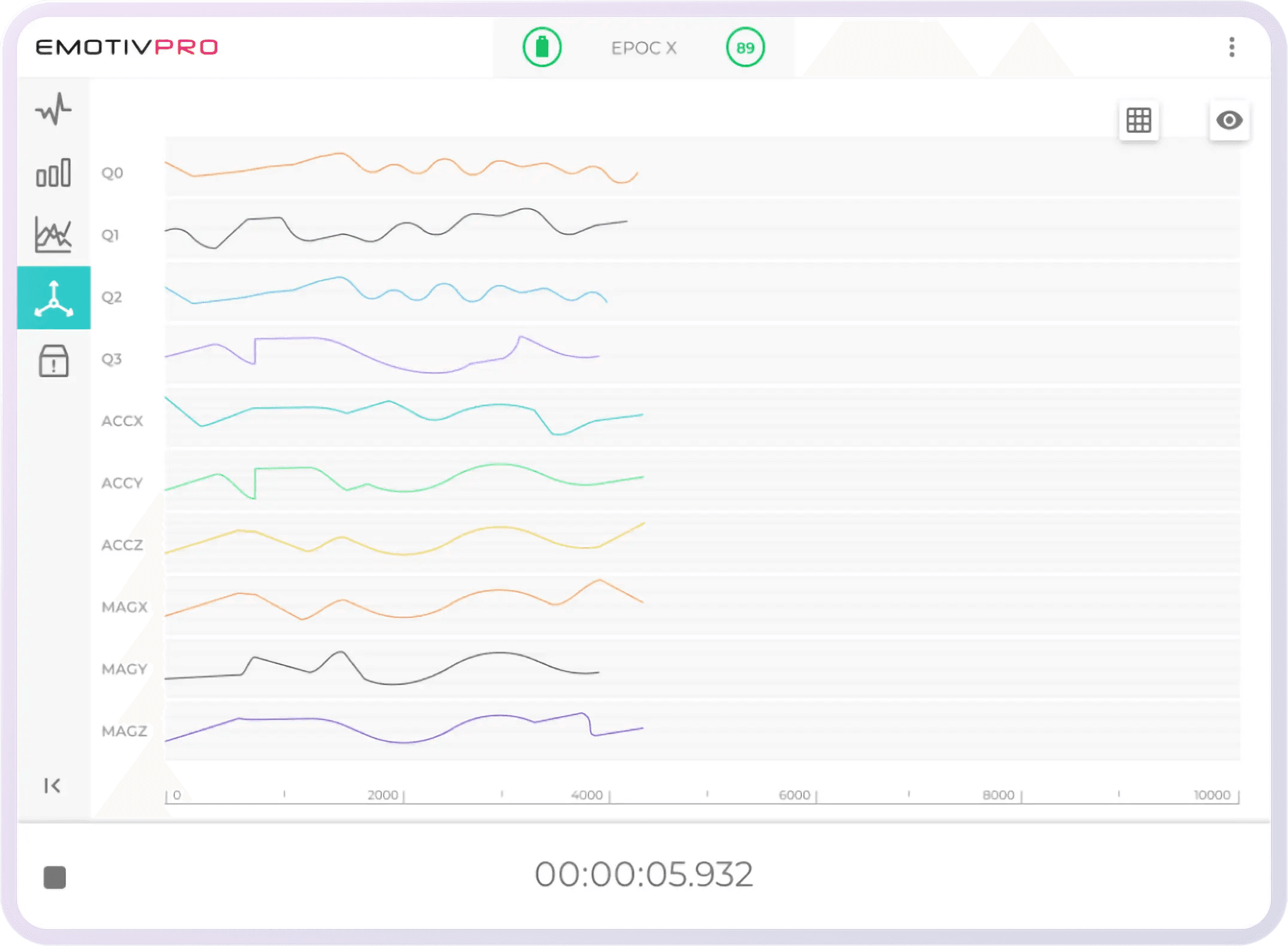
An integrated platform for Emotiv headsets: real-time visualization, performance metrics, frequency bands, event tagging, cloud session management, and export for downstream analysis.
Product page: /products/emotivpro
BESA
Deep analysis with robust source localization, artifact handling, ERPs, and spectral tools—popular in clinical and academic settings.
BrainVision Analyzer
User-friendly offline analysis with ICA, wavelets, batch processing, and flexible pipelines—great for labs standardizing workflows.
Persyst
Clinical-grade long-term EEG tools with seizure detection, artifact reduction, and trend analysis for hospital environments.
More: https://www.persyst.com/
Net Station
High-density acquisition/analysis (128–256+ channels) with real-time QC, spatial analyses, and full workflows for dense‐array studies.
Programming and Development Tools
Python
MNE-Python for pipelines, visualization, stats, and source analysis.
Ideal for custom apps and integrations. See Emotiv developer resources.
MATLAB
EEGLAB, FieldTrip, ERPlab for mature ecosystems, GUIs plus scripts for reproducibility and depth.
R
Use after preprocessing for statistical modeling, advanced visualizations, and reporting.
Key Analysis Features to Look For
Clean Your Data (Preprocessing & Artifact Removal)
Essential filters, referencing, ICA/SSP/ASR, and automated detection to reduce EOG/EMG and environmental noise.
Visualize Your Data
Topographic maps, PSD plots, spectrograms, ERPs, time–frequency charts, and interactive dashboards (e.g., in EmotivPRO).
Analyze in Real Time
Low-latency streaming and metrics for BCI, biofeedback, and dynamic UX tests.
Integrate with Your Tools
APIs/SDKs, LSL/OSC support, standardized exports (EDF/BDF/CSV), and sync with eye-tracking, GSR, and behavioral logs.
Dev hub: /pages/developer
Software for Neuromarketing
Analyze Consumer Responses
Measure engagement, focus, and stress during ad/viewing tasks to reveal true (often subconscious) reactions.
Optimize Content
Combine EEG with eye-tracking/facial coding to identify peaks, friction points, and winning variants for A/B tests.
Test Products & UX
Map cognitive load and confusion across user journeys to reduce drop-offs and improve experience.
Process Data as It Happens
Use real-time dashboards (e.g., EmotivPRO) to iterate stimuli on the fly.
What About Security and Support?
Keep Your Data Safe and Compliant
Look for encryption at rest/in transit and regulatory alignment (e.g., HIPAA in clinical settings).
Example clinical suite: Natus NeuroWorks — https://natus.com/neuro/neuroworks-eeg-software
Find Help in Documentation
Strong knowledge bases and tutorials accelerate onboarding (EEGLAB, MNE-Python, EmotivPRO guides).
Know Your Technical Support Options
Commercial vendors (e.g., Persyst, Natus) offer dedicated support; open-source relies on active forums and communities.
How to Choose the Right Software
First, Evaluate Your Needs
Pick GUI-first tools (Brainstorm, EmotivPRO) for ease; script-first (MNE/EEGLAB) for maximum flexibility.
Consider Your Budget
Balance license/subscription and time-to-insight; include add-ons, updates, and training in total cost.
Confirm System Compatibility
Check OS, dependencies (MATLAB/Python), file formats, and headset support.
Determine Your Support Needs
Match vendor support and community depth to your timeline and expertise.
Related Articles
Frequently Asked Questions
I’m new to EEG—what’s best for beginners?
Choose a GUI-driven tool like Brainstorm or EmotivPRO to handle preprocessing, visualization, and exports without coding.
Do I need to code to analyze brain data?
No. GUIs cover most needs. Coding in Python/MATLAB is optional for custom pipelines and automation.
Free vs. commercial—what’s the trade-off?
Open-source is flexible and powerful but relies on community support. Commercial tools add polished UX, dedicated support, and time savings.
How do I confirm headset compatibility?
Check the software’s official compatibility list and supported formats. EmotivPRO is built for Emotiv devices; many open-source tools accept standard EDF/CSV.
For neuromarketing, do I need specialized software?
General tools work, but neuromarketing-oriented platforms simplify multi-modal sync (EEG + eye-tracking/facial coding) and provide marketing-relevant metrics out of the box.
The Best Software for EEG Analysis: From Raw Signals to Real Insights
Raw EEG data is powerful, but it’s also complex and often messy. It’s filled with environmental noise and biological signals (like eye blinks) that can obscure the insights you’re looking for. The real work begins when you turn that raw stream into a clean, understandable story. This is where the right software becomes your most important tool—helping you process signals, remove artifacts, and visualize results.
The best software for EEG analysis doesn’t just collect data; it creates a clear path from raw signals to meaningful discoveries. This guide outlines essential features and reviews top platforms to help you transform complex brain data into actionable insights.
Key Takeaways
Define Your Project Needs First: Match the tool to your goals, technical comfort, and hardware ecosystem.
Focus on Core Data-Handling Features: Prioritize preprocessing, artifact removal, visualization, real-time analysis, and integrations.
Assess Support, Security, and Budget: Evaluate documentation quality, security practices, support options, and total cost of ownership.
What Makes Great EEG Analysis Software?
Choosing EEG analysis software depends on your use case—clinical research, brain-computer interface development, neuromarketing, or academic research. The best fit aligns capabilities with your goals, skill level, and device compatibility.
What Features Matter for Research?
Usable UI for exploratory analysis without heavy coding.
Rich visualization to spot patterns and issues quickly.
Established toolchains (e.g., EEGLAB) for deep analyses and reproducible workflows.
How Do Use Cases Differ?
Neuromarketing: Synchronize EEG with eye-tracking/facial coding to link attention with brain responses.
Clinical: Emphasize biomarkers, long-term review, and validated algorithms.
BCI/UX: Favor real-time streams and low-latency metrics.
Check for Technical Compatibility
Confirm OS support, compute requirements, file formats (e.g., EDF, CSV), and headset compatibility. Our EmotivPRO integrates seamlessly with Emotiv headsets.
Top Free EEG Analysis Software
EEGLAB (MATLAB)
A widely used interactive toolbox for ERPs and time-frequency analysis with extensive plugins and tutorials.
Download: https://sccn.ucsd.edu/eeglab/index.php
MNE-Python (Python)
Open-source powerhouse for EEG/MEG with excellent docs, preprocessing, source localization, stats, and visualization—ideal for reproducible pipelines.
Brainstorm (Standalone/MATLAB-based)
GUI-driven, end-to-end workflows from data organization to publication-ready figures. Standalone version available.
Learn more: https://neuroimage.usc.edu/brainstorm/Introduction
FieldTrip (MATLAB)
Advanced toolbox for time-frequency, connectivity, and source reconstruction—best for scripting complex analyses.
Docs: https://www.fieldtriptoolbox.org/
Leading Commercial Solutions
EmotivPRO
An integrated platform for Emotiv headsets: real-time visualization, performance metrics, frequency bands, event tagging, cloud session management, and export for downstream analysis.
Product page: /products/emotivpro
BESA
Deep analysis with robust source localization, artifact handling, ERPs, and spectral tools—popular in clinical and academic settings.
BrainVision Analyzer
User-friendly offline analysis with ICA, wavelets, batch processing, and flexible pipelines—great for labs standardizing workflows.
Persyst
Clinical-grade long-term EEG tools with seizure detection, artifact reduction, and trend analysis for hospital environments.
More: https://www.persyst.com/
Net Station
High-density acquisition/analysis (128–256+ channels) with real-time QC, spatial analyses, and full workflows for dense‐array studies.
Programming and Development Tools
Python
MNE-Python for pipelines, visualization, stats, and source analysis.
Ideal for custom apps and integrations. See Emotiv developer resources.
MATLAB
EEGLAB, FieldTrip, ERPlab for mature ecosystems, GUIs plus scripts for reproducibility and depth.
R
Use after preprocessing for statistical modeling, advanced visualizations, and reporting.
Key Analysis Features to Look For
Clean Your Data (Preprocessing & Artifact Removal)
Essential filters, referencing, ICA/SSP/ASR, and automated detection to reduce EOG/EMG and environmental noise.
Visualize Your Data
Topographic maps, PSD plots, spectrograms, ERPs, time–frequency charts, and interactive dashboards (e.g., in EmotivPRO).
Analyze in Real Time
Low-latency streaming and metrics for BCI, biofeedback, and dynamic UX tests.
Integrate with Your Tools
APIs/SDKs, LSL/OSC support, standardized exports (EDF/BDF/CSV), and sync with eye-tracking, GSR, and behavioral logs.
Dev hub: /pages/developer
Software for Neuromarketing
Analyze Consumer Responses
Measure engagement, focus, and stress during ad/viewing tasks to reveal true (often subconscious) reactions.
Optimize Content
Combine EEG with eye-tracking/facial coding to identify peaks, friction points, and winning variants for A/B tests.
Test Products & UX
Map cognitive load and confusion across user journeys to reduce drop-offs and improve experience.
Process Data as It Happens
Use real-time dashboards (e.g., EmotivPRO) to iterate stimuli on the fly.
What About Security and Support?
Keep Your Data Safe and Compliant
Look for encryption at rest/in transit and regulatory alignment (e.g., HIPAA in clinical settings).
Example clinical suite: Natus NeuroWorks — https://natus.com/neuro/neuroworks-eeg-software
Find Help in Documentation
Strong knowledge bases and tutorials accelerate onboarding (EEGLAB, MNE-Python, EmotivPRO guides).
Know Your Technical Support Options
Commercial vendors (e.g., Persyst, Natus) offer dedicated support; open-source relies on active forums and communities.
How to Choose the Right Software
First, Evaluate Your Needs
Pick GUI-first tools (Brainstorm, EmotivPRO) for ease; script-first (MNE/EEGLAB) for maximum flexibility.
Consider Your Budget
Balance license/subscription and time-to-insight; include add-ons, updates, and training in total cost.
Confirm System Compatibility
Check OS, dependencies (MATLAB/Python), file formats, and headset support.
Determine Your Support Needs
Match vendor support and community depth to your timeline and expertise.
Related Articles
Frequently Asked Questions
I’m new to EEG—what’s best for beginners?
Choose a GUI-driven tool like Brainstorm or EmotivPRO to handle preprocessing, visualization, and exports without coding.
Do I need to code to analyze brain data?
No. GUIs cover most needs. Coding in Python/MATLAB is optional for custom pipelines and automation.
Free vs. commercial—what’s the trade-off?
Open-source is flexible and powerful but relies on community support. Commercial tools add polished UX, dedicated support, and time savings.
How do I confirm headset compatibility?
Check the software’s official compatibility list and supported formats. EmotivPRO is built for Emotiv devices; many open-source tools accept standard EDF/CSV.
For neuromarketing, do I need specialized software?
General tools work, but neuromarketing-oriented platforms simplify multi-modal sync (EEG + eye-tracking/facial coding) and provide marketing-relevant metrics out of the box.
The Best Software for EEG Analysis: From Raw Signals to Real Insights
Raw EEG data is powerful, but it’s also complex and often messy. It’s filled with environmental noise and biological signals (like eye blinks) that can obscure the insights you’re looking for. The real work begins when you turn that raw stream into a clean, understandable story. This is where the right software becomes your most important tool—helping you process signals, remove artifacts, and visualize results.
The best software for EEG analysis doesn’t just collect data; it creates a clear path from raw signals to meaningful discoveries. This guide outlines essential features and reviews top platforms to help you transform complex brain data into actionable insights.
Key Takeaways
Define Your Project Needs First: Match the tool to your goals, technical comfort, and hardware ecosystem.
Focus on Core Data-Handling Features: Prioritize preprocessing, artifact removal, visualization, real-time analysis, and integrations.
Assess Support, Security, and Budget: Evaluate documentation quality, security practices, support options, and total cost of ownership.
What Makes Great EEG Analysis Software?
Choosing EEG analysis software depends on your use case—clinical research, brain-computer interface development, neuromarketing, or academic research. The best fit aligns capabilities with your goals, skill level, and device compatibility.
What Features Matter for Research?
Usable UI for exploratory analysis without heavy coding.
Rich visualization to spot patterns and issues quickly.
Established toolchains (e.g., EEGLAB) for deep analyses and reproducible workflows.
How Do Use Cases Differ?
Neuromarketing: Synchronize EEG with eye-tracking/facial coding to link attention with brain responses.
Clinical: Emphasize biomarkers, long-term review, and validated algorithms.
BCI/UX: Favor real-time streams and low-latency metrics.
Check for Technical Compatibility
Confirm OS support, compute requirements, file formats (e.g., EDF, CSV), and headset compatibility. Our EmotivPRO integrates seamlessly with Emotiv headsets.
Top Free EEG Analysis Software
EEGLAB (MATLAB)
A widely used interactive toolbox for ERPs and time-frequency analysis with extensive plugins and tutorials.
Download: https://sccn.ucsd.edu/eeglab/index.php
MNE-Python (Python)
Open-source powerhouse for EEG/MEG with excellent docs, preprocessing, source localization, stats, and visualization—ideal for reproducible pipelines.
Brainstorm (Standalone/MATLAB-based)
GUI-driven, end-to-end workflows from data organization to publication-ready figures. Standalone version available.
Learn more: https://neuroimage.usc.edu/brainstorm/Introduction
FieldTrip (MATLAB)
Advanced toolbox for time-frequency, connectivity, and source reconstruction—best for scripting complex analyses.
Docs: https://www.fieldtriptoolbox.org/
Leading Commercial Solutions
EmotivPRO
An integrated platform for Emotiv headsets: real-time visualization, performance metrics, frequency bands, event tagging, cloud session management, and export for downstream analysis.
Product page: /products/emotivpro
BESA
Deep analysis with robust source localization, artifact handling, ERPs, and spectral tools—popular in clinical and academic settings.
BrainVision Analyzer
User-friendly offline analysis with ICA, wavelets, batch processing, and flexible pipelines—great for labs standardizing workflows.
Persyst
Clinical-grade long-term EEG tools with seizure detection, artifact reduction, and trend analysis for hospital environments.
More: https://www.persyst.com/
Net Station
High-density acquisition/analysis (128–256+ channels) with real-time QC, spatial analyses, and full workflows for dense‐array studies.
Programming and Development Tools
Python
MNE-Python for pipelines, visualization, stats, and source analysis.
Ideal for custom apps and integrations. See Emotiv developer resources.
MATLAB
EEGLAB, FieldTrip, ERPlab for mature ecosystems, GUIs plus scripts for reproducibility and depth.
R
Use after preprocessing for statistical modeling, advanced visualizations, and reporting.
Key Analysis Features to Look For
Clean Your Data (Preprocessing & Artifact Removal)
Essential filters, referencing, ICA/SSP/ASR, and automated detection to reduce EOG/EMG and environmental noise.
Visualize Your Data
Topographic maps, PSD plots, spectrograms, ERPs, time–frequency charts, and interactive dashboards (e.g., in EmotivPRO).
Analyze in Real Time
Low-latency streaming and metrics for BCI, biofeedback, and dynamic UX tests.
Integrate with Your Tools
APIs/SDKs, LSL/OSC support, standardized exports (EDF/BDF/CSV), and sync with eye-tracking, GSR, and behavioral logs.
Dev hub: /pages/developer
Software for Neuromarketing
Analyze Consumer Responses
Measure engagement, focus, and stress during ad/viewing tasks to reveal true (often subconscious) reactions.
Optimize Content
Combine EEG with eye-tracking/facial coding to identify peaks, friction points, and winning variants for A/B tests.
Test Products & UX
Map cognitive load and confusion across user journeys to reduce drop-offs and improve experience.
Process Data as It Happens
Use real-time dashboards (e.g., EmotivPRO) to iterate stimuli on the fly.
What About Security and Support?
Keep Your Data Safe and Compliant
Look for encryption at rest/in transit and regulatory alignment (e.g., HIPAA in clinical settings).
Example clinical suite: Natus NeuroWorks — https://natus.com/neuro/neuroworks-eeg-software
Find Help in Documentation
Strong knowledge bases and tutorials accelerate onboarding (EEGLAB, MNE-Python, EmotivPRO guides).
Know Your Technical Support Options
Commercial vendors (e.g., Persyst, Natus) offer dedicated support; open-source relies on active forums and communities.
How to Choose the Right Software
First, Evaluate Your Needs
Pick GUI-first tools (Brainstorm, EmotivPRO) for ease; script-first (MNE/EEGLAB) for maximum flexibility.
Consider Your Budget
Balance license/subscription and time-to-insight; include add-ons, updates, and training in total cost.
Confirm System Compatibility
Check OS, dependencies (MATLAB/Python), file formats, and headset support.
Determine Your Support Needs
Match vendor support and community depth to your timeline and expertise.
Related Articles
Frequently Asked Questions
I’m new to EEG—what’s best for beginners?
Choose a GUI-driven tool like Brainstorm or EmotivPRO to handle preprocessing, visualization, and exports without coding.
Do I need to code to analyze brain data?
No. GUIs cover most needs. Coding in Python/MATLAB is optional for custom pipelines and automation.
Free vs. commercial—what’s the trade-off?
Open-source is flexible and powerful but relies on community support. Commercial tools add polished UX, dedicated support, and time savings.
How do I confirm headset compatibility?
Check the software’s official compatibility list and supported formats. EmotivPRO is built for Emotiv devices; many open-source tools accept standard EDF/CSV.
For neuromarketing, do I need specialized software?
General tools work, but neuromarketing-oriented platforms simplify multi-modal sync (EEG + eye-tracking/facial coding) and provide marketing-relevant metrics out of the box.